Options Screener
Search the options market for the contracts that match your conditions: volume, premium, expiry and more.
- Filter the whole chain
- Built for ideas
- Straight to the contract
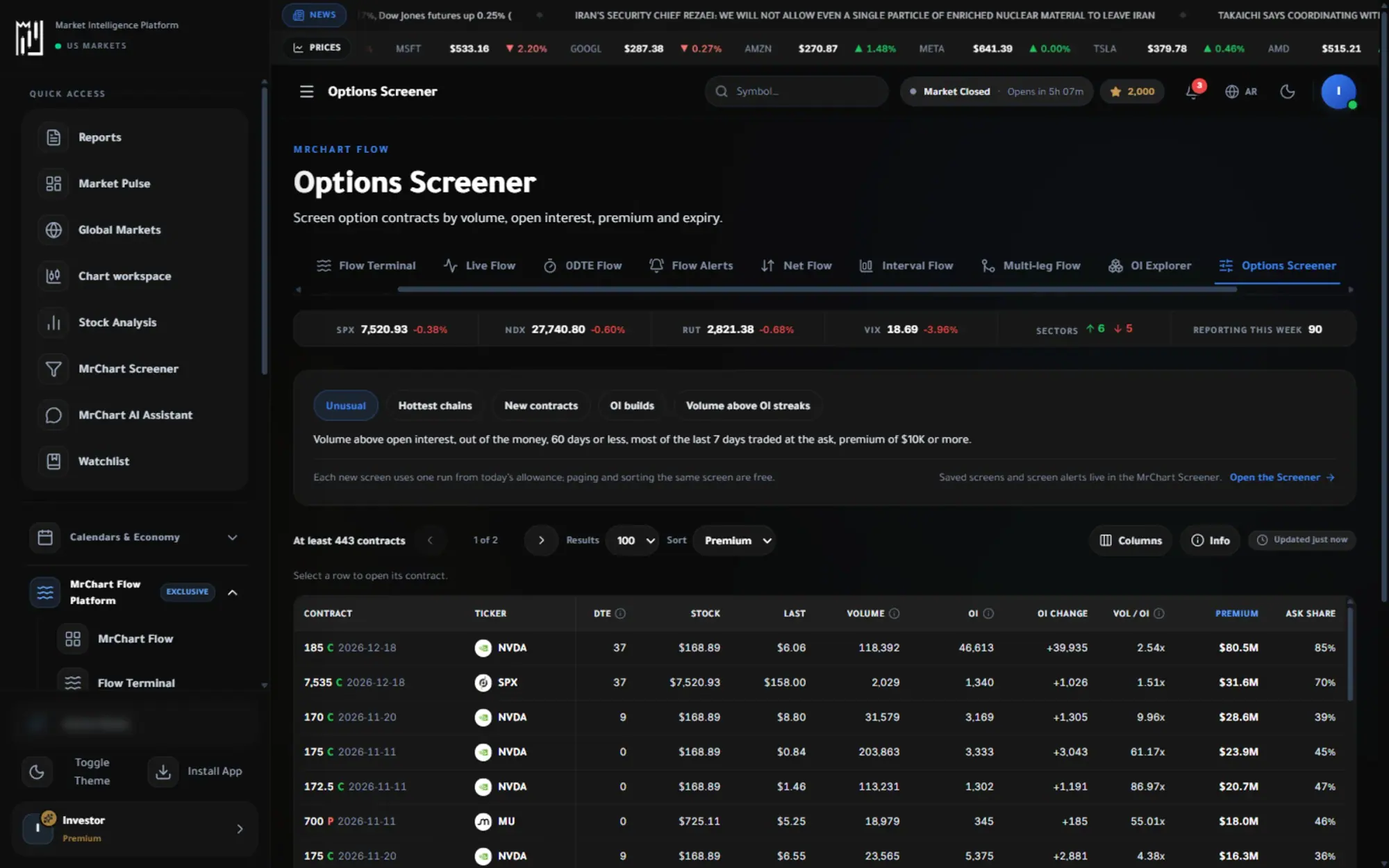
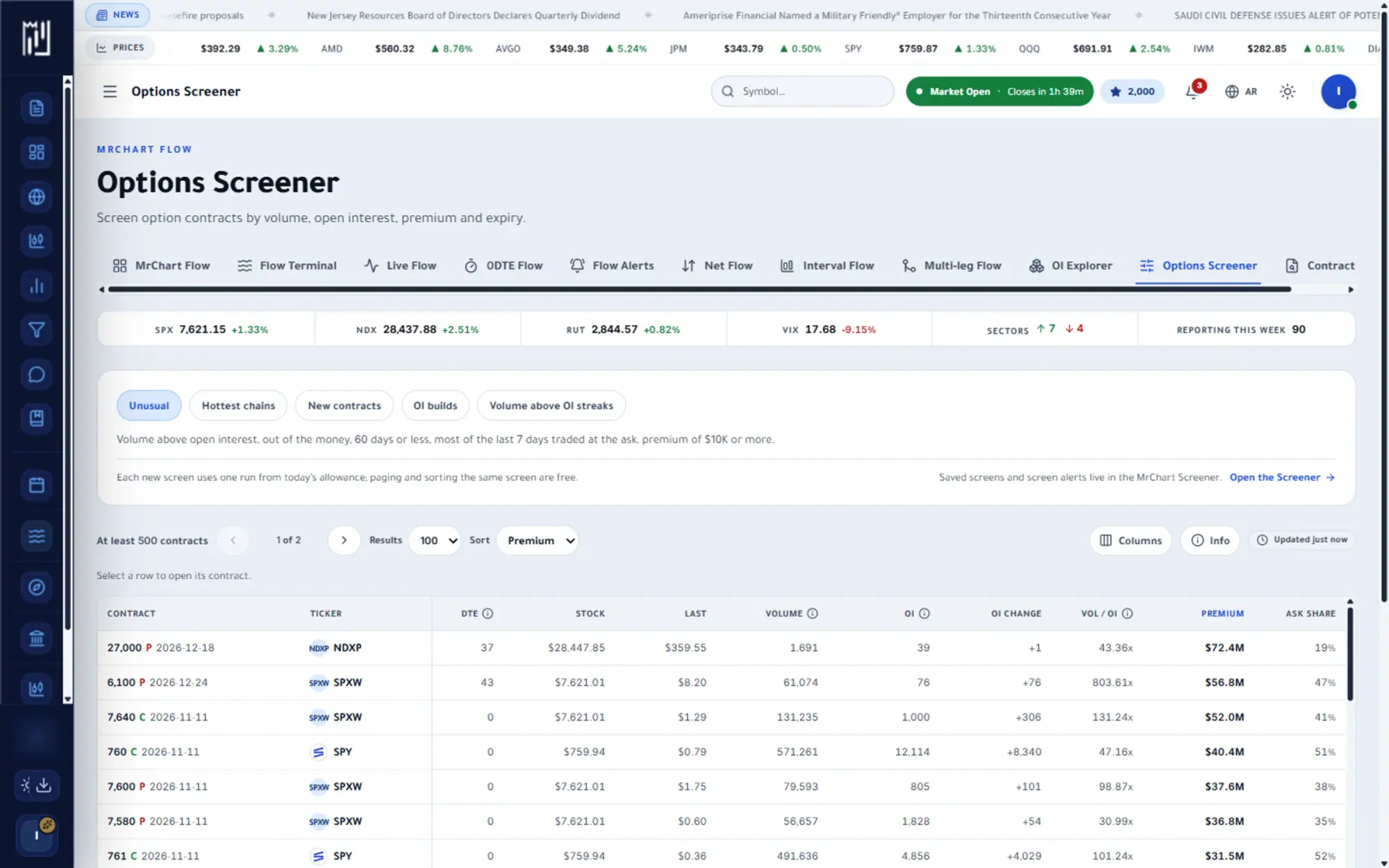
The question it answers
Which contracts fit my idea?
Overview
What is Options Screener on MrChart?
The Options Screener searches option contracts across the market for the ones that match your conditions. Filter by volume, open interest, premium, delta and expiry, or start from a ready-made screen such as Unusual, Hottest chains, New contracts, OI builds or Volume above OI streaks. Results arrive as a sortable table of contracts.
Instead of reading every chain by hand, you describe the situation you want to study, for instance unusual options activity with volume above open interest and a near expiry, and the screener lists the contracts that fit. Each result opens in Contract Lookup. It narrows your search; it does not rate the contracts.
What you get
Why use Options Screener
How it works
How to use Options Screener in three steps
- 01
Start from a screen
Pick one of the ready-made screens; each shows a short hint of the conditions it applies.
- 02
Refine the conditions
Adjust volume, open interest, premium and expiry filters, then sort the results by the column you care about.
- 03
Open a contract
Select any row to open that contract and read its prints, open interest and history.
Who it helps
Where it fits in your day
Finding unusual volume
Look for contracts trading far above their open interest, which can point to new positions being opened.
Seeing the hottest chains
List the most traded contracts of the session to see where options attention is concentrated.
Following open interest builds
Find contracts whose open interest has grown for several sessions in a row and study how they developed.
Questions
Frequently asked questions
What is an options screener?
It is a search tool for option contracts. You set conditions such as volume, open interest, premium or expiry, and it returns the contracts that match.
What does volume above open interest mean?
It means more contracts traded in a session than were open at the start, so at least some trades must have created new positions. It is a clue worth checking, not a conclusion.
Can I save a screen or get alerts from it?
Saved screens and screen alerts live in the MrChart Screener, which the page links to. This Flow screener is for quick searching, and each new screen uses part of a daily allowance that depends on your plan.
See it on your own screen
Create a free account and open it in the platform. MrChart is an analytics and education platform. It does not give buy or sell recommendations or investment advice.