Live Flow
A real-time tape of options trades as they print, with size, side and premium at a glance.
- Real-time prints
- Sorted by what matters
- Context in one click
The question it answers
What just traded?
Overview
What is Live Flow on MrChart?
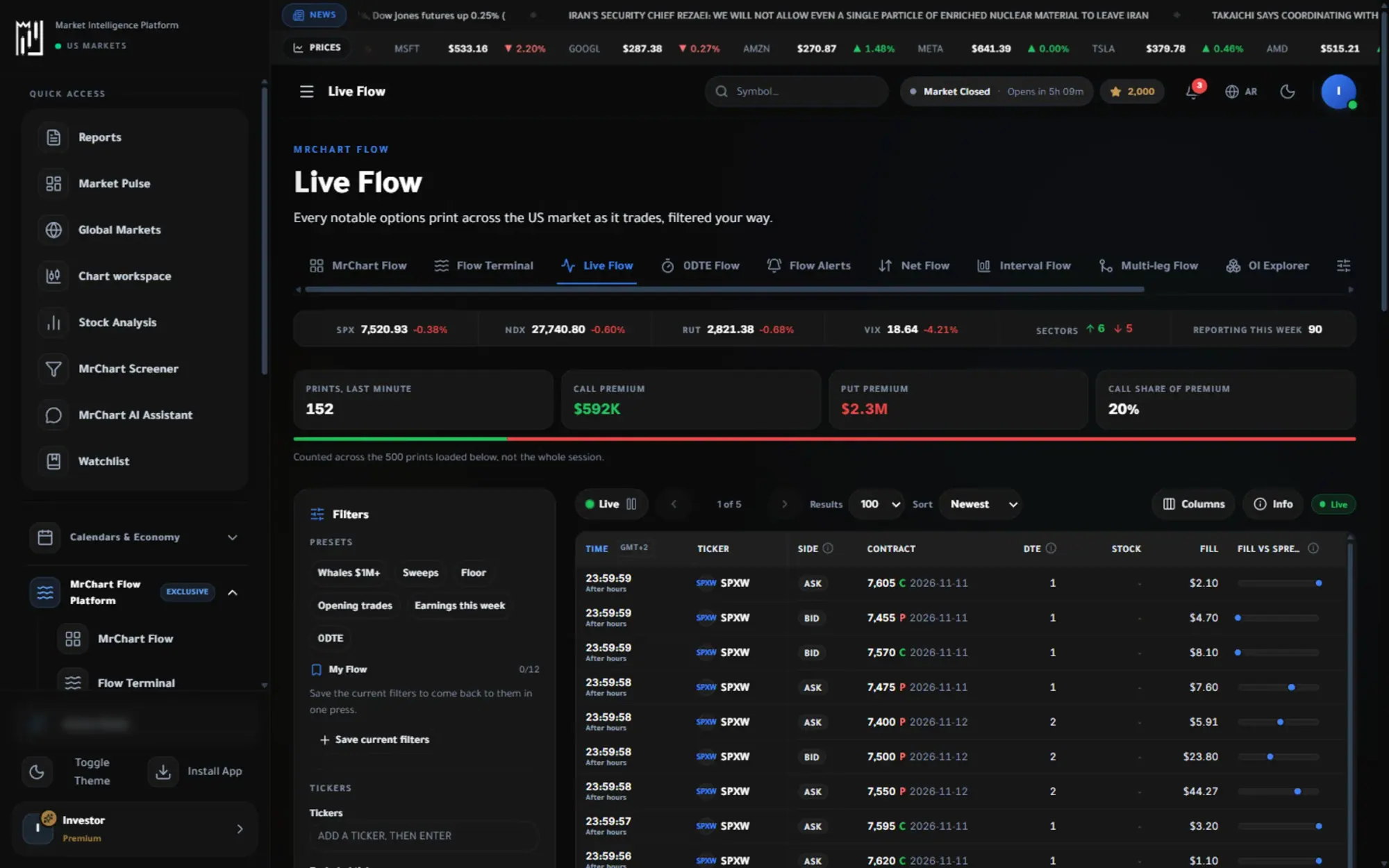
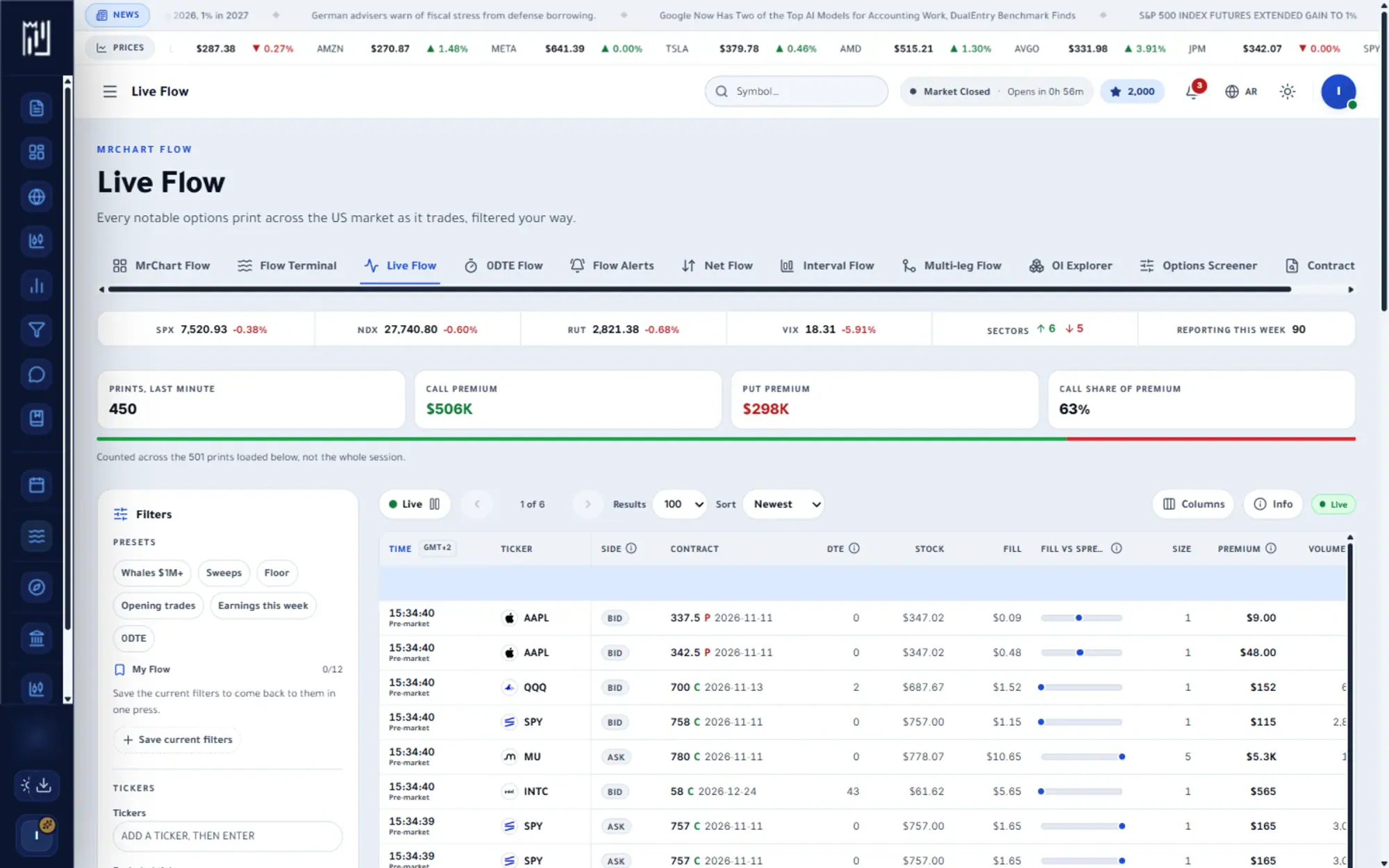
Live Flow is a running tape of options trades across the US market, shown as each one prints. Every row carries the ticker, contract, size, premium and which side of the quote the trade filled on, so you can follow options flow in real time instead of piecing it together after the fact.
Because the tape moves fast, the page is built for filtering. Narrow it by ticker, expiry, premium, size, sweeps, floor trades or opening activity, pause it when you want to read, and save the filters you use often as your own presets. You see the unusual options activity that matters to you and skip the rest.
In the platform
A closer look at Live Flow
What you get
Why use Live Flow
Real-time prints
Each trade appears as it happens with its strike, expiry and premium.
Sorted by what matters
Filter by size, premium, symbol or type to cut the tape down to the trades worth reading.
Context in one click
Open the stock or the contract behind any trade.
How it works
How to use Live Flow in three steps
- 01
Choose a preset or set filters
Start from a quick preset such as large premium, sweeps, floor trades or opening trades, or build your own filter from ticker, expiry, size and premium.
- 02
Read each row
Check the side (ASK, BID or MID), the days to expiry and the flags such as SWEEP, FLOOR, MULTI and OPENING that describe how the trade printed.
- 03
Open the detail
Click a row to see its fill against the quote, the Greeks at the print and the session volume, with links to Contract Lookup, the chart and the Flow Terminal.
Who it helps
Where it fits in your day
Following one stock
Filter to a single ticker and watch its options trades arrive through the session.
Spotting very large trades
Raise the minimum premium to keep only the biggest prints and study them one by one.
Earnings week
Use the earnings preset to see contracts expiring soon after a company reports, then compare the activity across names.
Questions
Frequently asked questions
What is options flow?
Options flow is the stream of options trades as they happen, with details such as size, premium and which side of the quote they filled on. Reading it helps you see where traders are active, as context rather than a forecast.
What do ASK, BID and MID mean on a print?
They show where the trade filled compared with the quoted prices at that moment: at or near the ask, at or near the bid, or between them. It describes the fill, not the trader's intent.
What is an options sweep?
A sweep is an order split across several exchanges so it can fill quickly. MrChart tags these prints SWEEP so you can filter for them or leave them out.
See it on your own screen
Create a free account and open it in the platform. MrChart is an analytics and education platform. It does not give buy or sell recommendations or investment advice.