MrChart Screener
Filter the whole U.S. market by the things you care about: value, momentum, technicals, patterns and MrChart scores.
- Filters that matter
- Refreshed every night
- Save it and be told
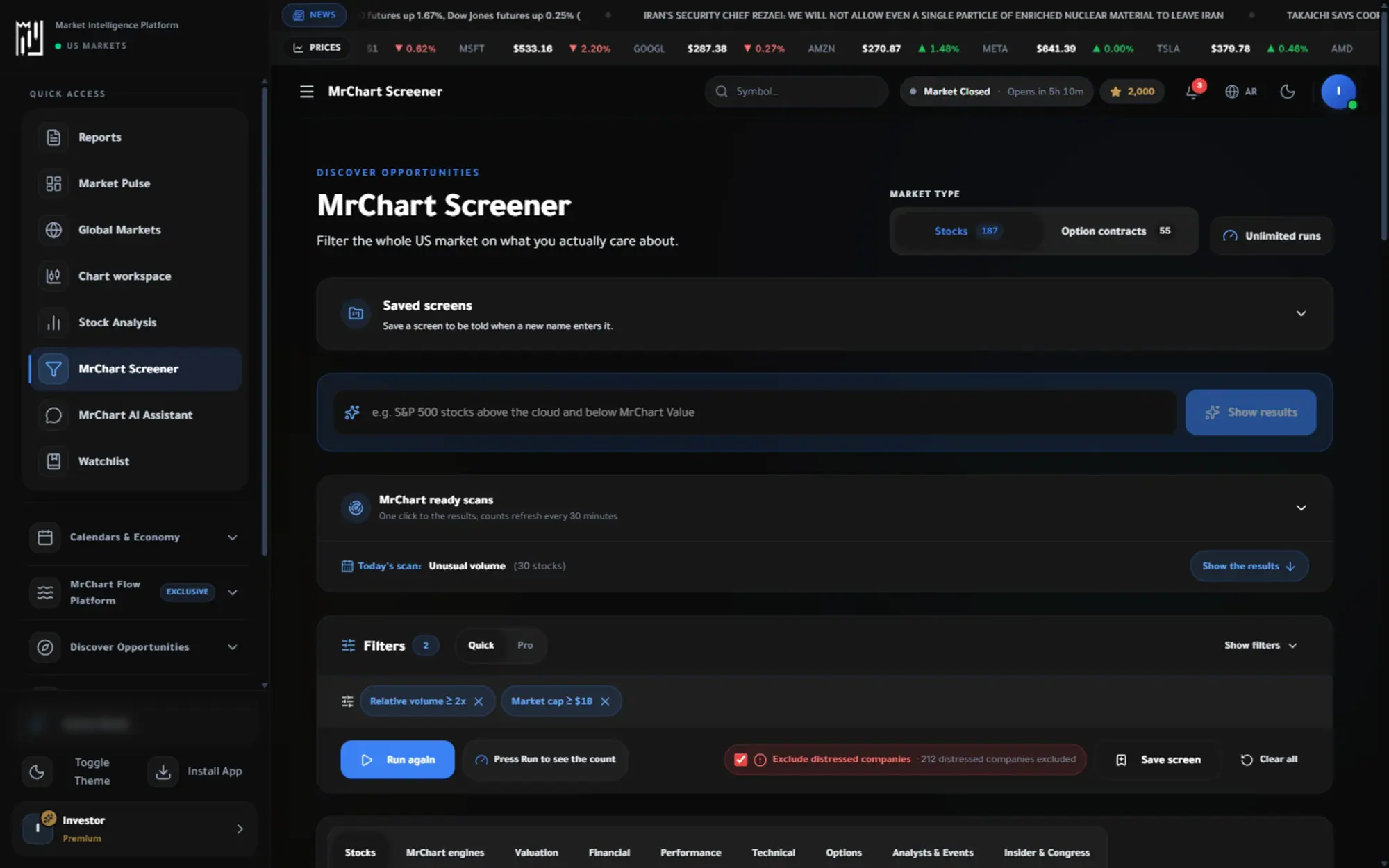
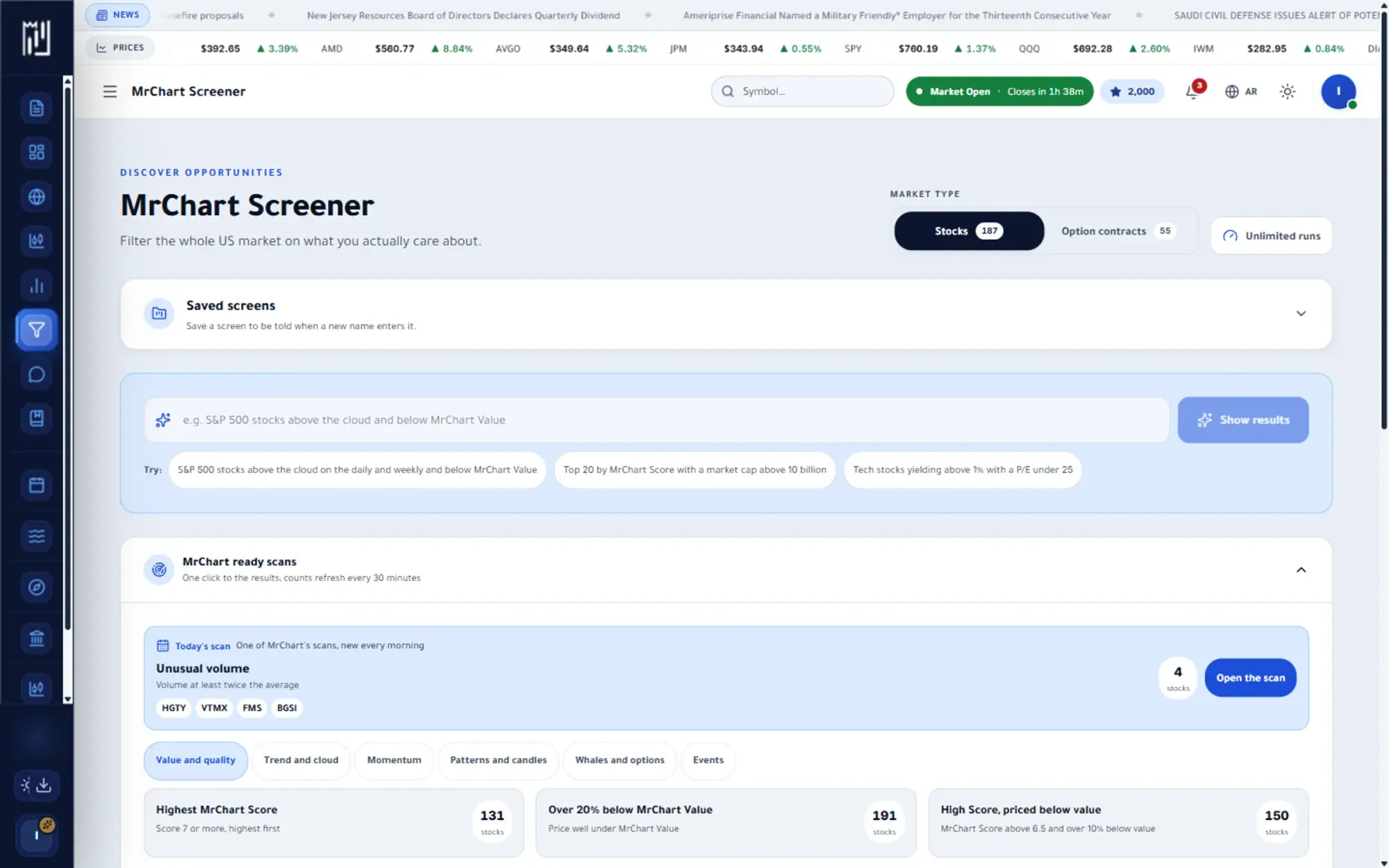
The question it answers
Which stocks fit what I am looking for?
Overview
What is MrChart Screener on MrChart?
The MrChart Screener is a stock screener for the U.S. market. Instead of scrolling through thousands of tickers, you set the conditions that matter to you, such as size, valuation, growth, technical readings, chart patterns and MrChart Score, and see only the stocks that meet all of them.
You can build a screen with filters, start from a ready scan, or simply type what you want in your own words, in Arabic or English. Results can be viewed as a table, charts, a heat map or statistics, saved, shared by link and exported. MrChart columns are rebuilt each night.
In the platform
A closer look at MrChart Screener
What you get
Why use MrChart Screener
Filters that matter
Combine fundamentals, technical conditions and chart patterns in one query.
Refreshed every night
MrChart columns and index membership are rebuilt after each session.
Save it and be told
Keep a screen and get an alert when new stocks match it.
How it works
How to use MrChart Screener in three steps
- 01
Set your conditions
Open the filter panel and combine fundamentals, technical readings and patterns, or pick a quick filter or ready scan to start faster.
- 02
Run it and read the results
Sort the table, choose your columns, and switch between table, charts, heat map and statistics to see the result set differently.
- 03
Save, share or compare
Save the screen, copy its link, export the results, or pick a few stocks to compare side by side.
Who it helps
Where it fits in your day
Finding ideas that fit your style
Narrow the market to the companies that match your own criteria for size, profitability or momentum.
Checking a theme every week
Save a screen and rerun it to see which stocks entered or left it since last time.
Building a shortlist to study
Select the most interesting rows, add them to a watchlist and open each one in the stock analysis page.
Questions
Frequently asked questions
What is a stock screener?
A stock screener filters a large market down to the stocks that meet conditions you choose. It is a way to organise your research, not a list of recommendations.
How often is the MrChart Screener updated?
MrChart columns, patterns and index membership are rebuilt after each session, and a stock missed on one night keeps its last known row. Prices and the day move are shown with the results.
Can I screen in Arabic?
Yes. The page is available in Arabic, and the Ask bar lets you describe the screen in your own words, in Arabic or English. That bar depends on your plan, which the pricing page explains.
More in Analysis & research
See it on your own screen
Create a free account and open it in the platform. MrChart is an analytics and education platform. It does not give buy or sell recommendations or investment advice.