Calendars
Earnings, economic releases, dividends and IPOs on one calendar, so nothing catches you off guard.
- Earnings and the economy
- Dividends and IPOs
- For your list
The question it answers
What is coming up that could move the market?
Overview
What is Calendars on MrChart?
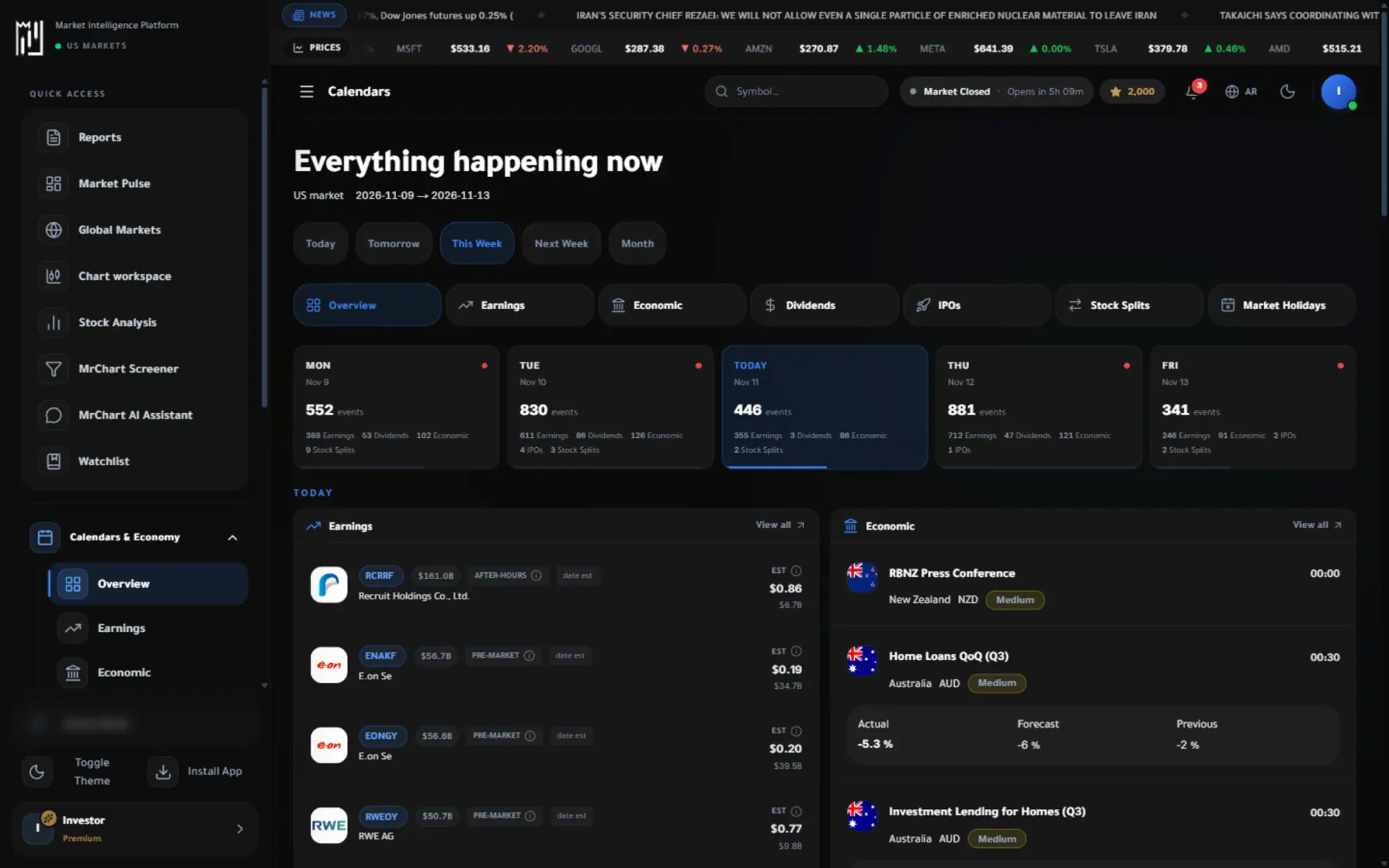
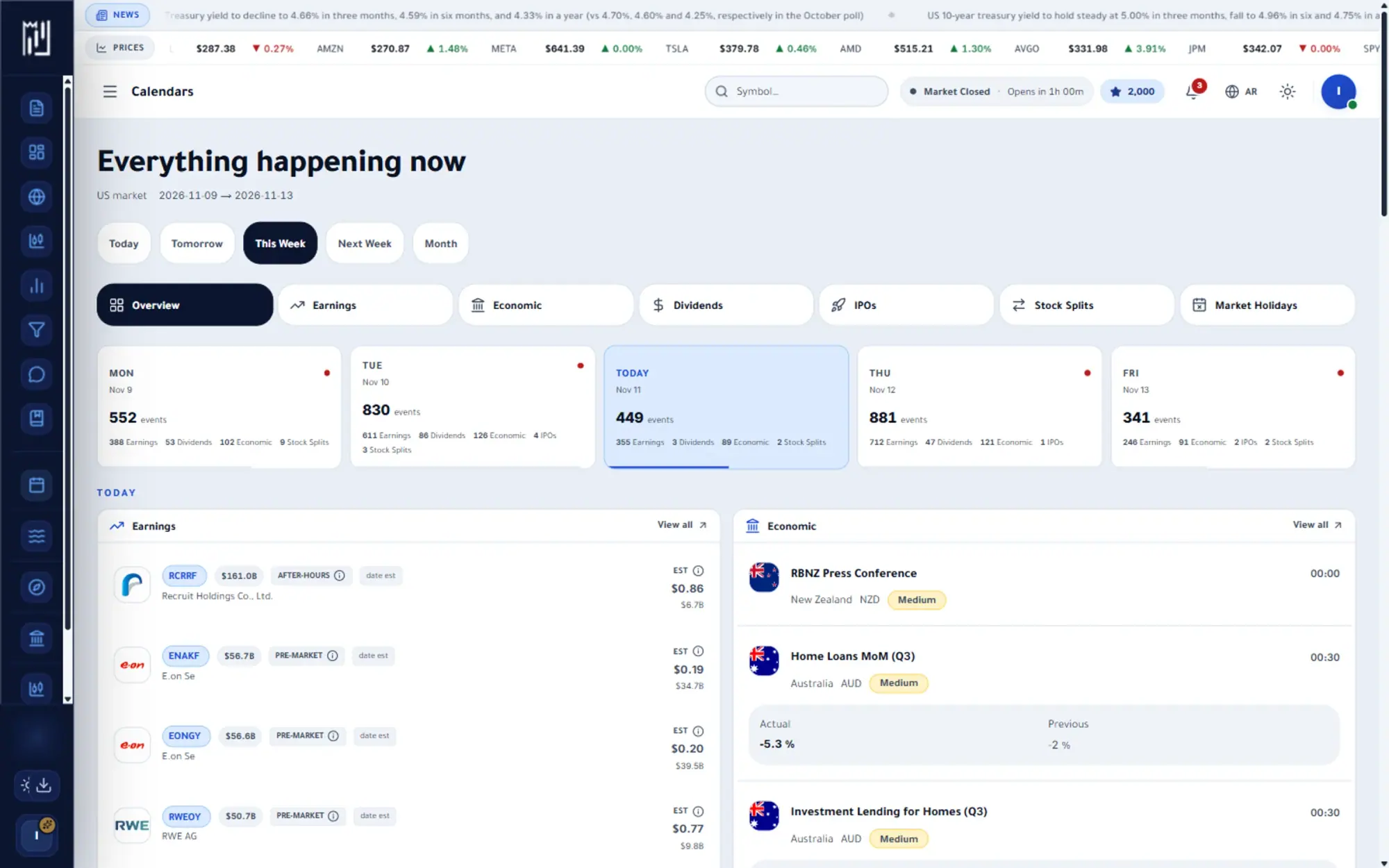
The MrChart financial calendar puts the dates that move markets in one place: earnings releases, economic events, dividend payment dates, IPOs, stock splits and market holidays. Each has its own tab, plus an overview of everything happening today and this week, so a surprise is less likely.
You can change the range, from today and tomorrow to this week, next week or the month, and filter by region, importance and company size. Knowing when a company reports or when a major economic release lands helps you understand why a market is quiet or restless.
In the platform
A closer look at Calendars
What you get
Why use Calendars
Earnings and the economy
Company results and macro releases laid out by day.
Dividends and IPOs
Ex-dividend dates and new listings with the details that matter.
For your list
Filter the calendar to the stocks you actually follow.
How it works
How to use Calendars in three steps
- 01
Pick a calendar
Choose Overview, Earnings, Dividends, Economic, IPOs, Stock Splits or Market Holidays from the tabs.
- 02
Set the range
Select today, tomorrow, this week, next week or the month to see just the dates you need.
- 03
Filter to what matters
Narrow by region, importance or company size, then open a company to see its full analysis.
Who it helps
Where it fits in your day
Planning around earnings
See which companies report this week so you know when a stock you follow may move sharply.
Preparing for economic releases
Check the day's economic events and their importance before the market opens.
Tracking dividends and new listings
Look up dividend dates and upcoming IPOs and splits to keep your own research calendar complete.
Questions
Frequently asked questions
What is an earnings calendar?
It lists the dates on which companies publish their quarterly results. Results often bring a stronger move in the stock, so many investors check it before the week begins.
What is the economic calendar?
It shows scheduled macroeconomic releases, such as inflation and employment data, with an importance level for each. These events can move the whole market, not only one stock.
Is the calendar only for U.S. companies?
The calendar focuses on the U.S. market, and the economic tab lets you filter by region, such as global or the United States. Anything beyond that depends on what each tab lists.
More in Analysis & research
See it on your own screen
Create a free account and open it in the platform. MrChart is an analytics and education platform. It does not give buy or sell recommendations or investment advice.