Congress Trades
Stock trades disclosed by members of the U.S. Congress, searchable by member, stock and date.
- Public disclosures, organised
- Follow a member or a stock
- Context, not conclusions
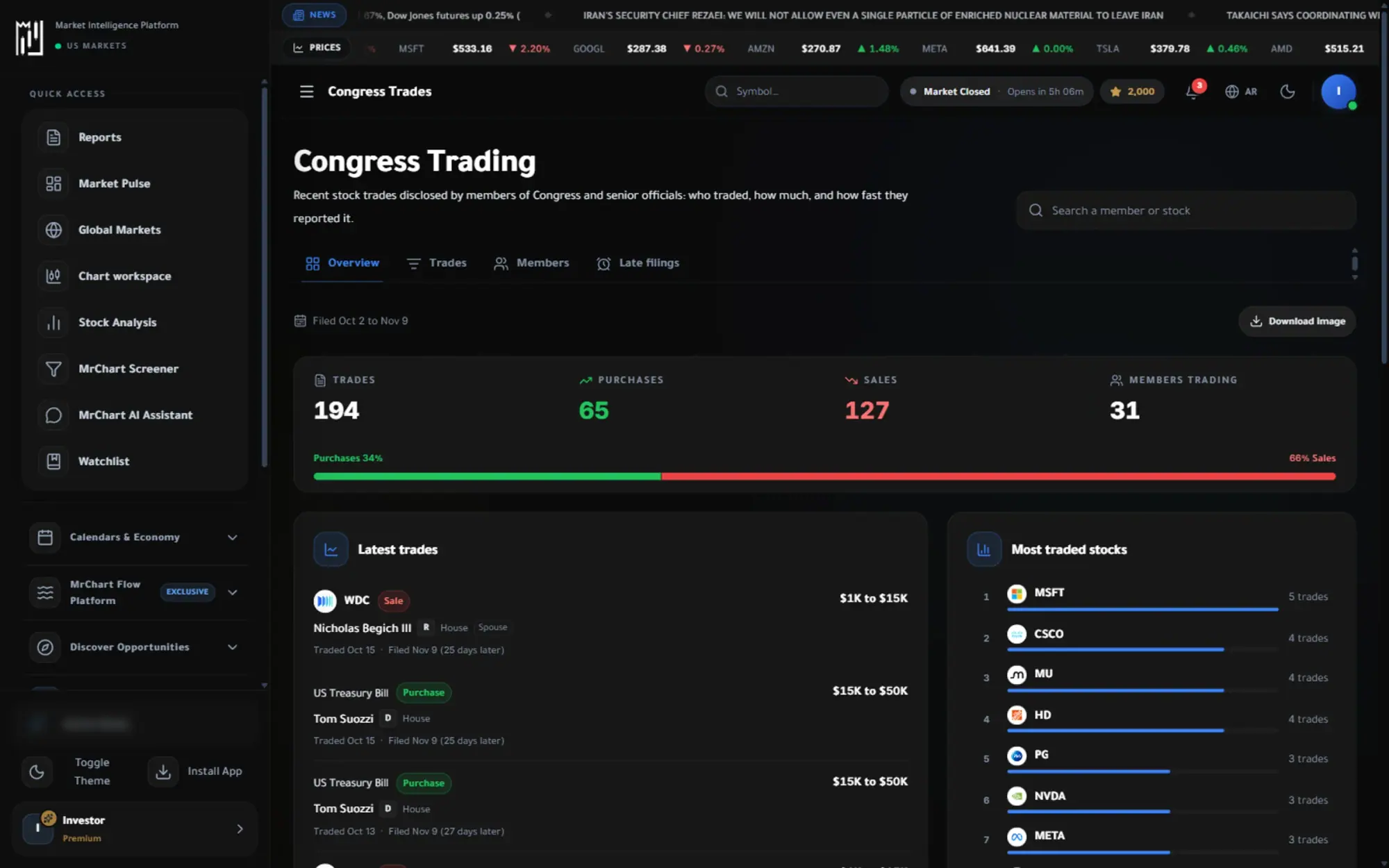
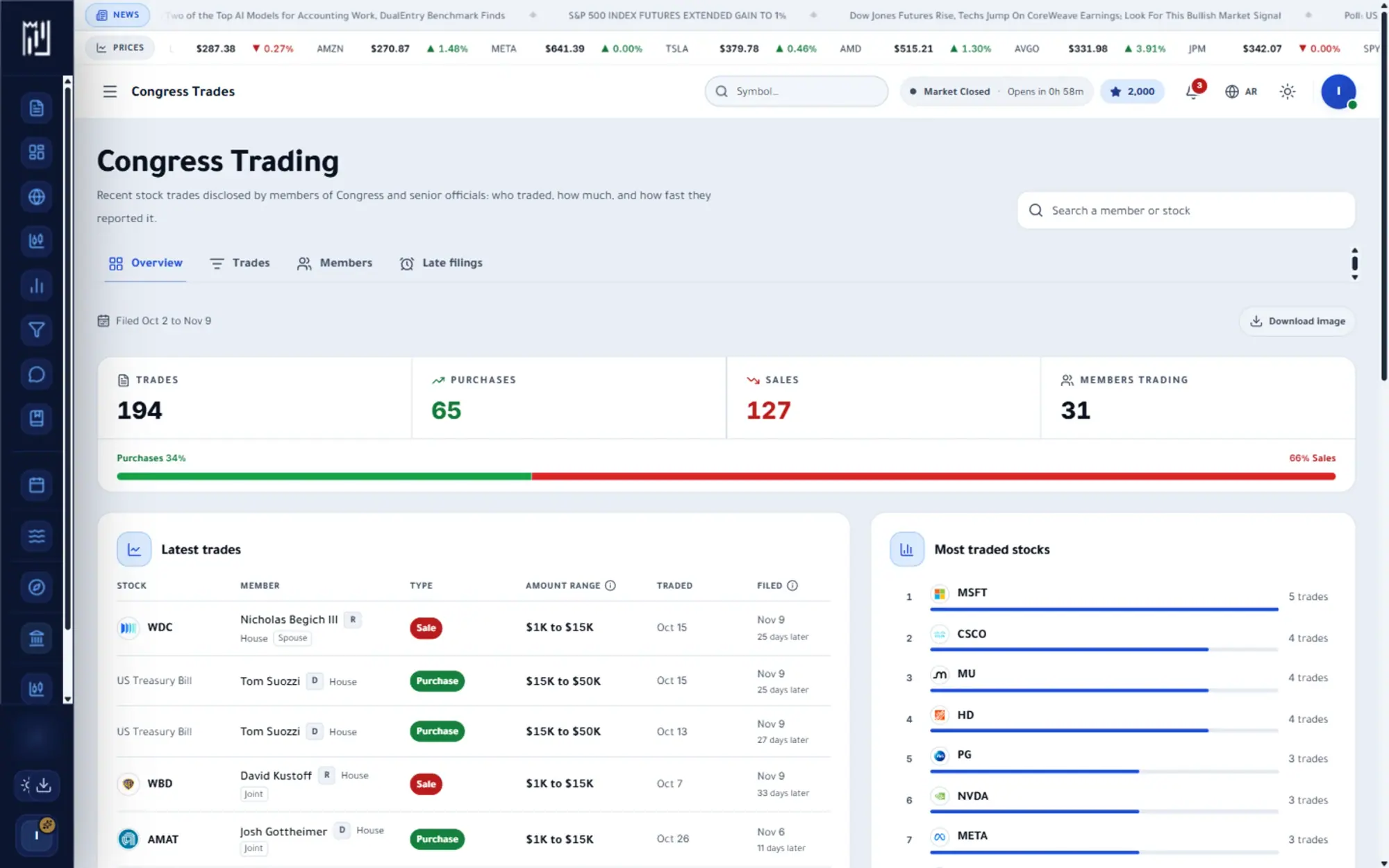
The question it answers
What are lawmakers trading?
Overview
What is Congress Trades on MrChart?
Congress Trades collects the stock transactions that members of the U.S. Congress and their families report under public disclosure rules. Browse an overview, the full trade list, the members themselves and the filings that came in late, then open a member or a stock to see its history in one place.
These are public records, and each one carries two dates: when the trade happened and when it was reported. The gap can be long, so the page shows both. Use it to understand what lawmakers have disclosed, and remember that a disclosed trade is not a recommendation or a reliable signal.
In the platform
A closer look at Congress Trades
What you get
Why use Congress Trades
Public disclosures, organised
Every reported transaction by members and their families, in one list.
Follow a member or a stock
See one person over time, or everyone who traded a given company.
Context, not conclusions
Disclosures arrive late, and the page shows both the trade date and the report date.
How it works
How to use Congress Trades in three steps
- 01
Start with the overview
Read a short answer to what Congress is trading, who is trading and who filed late, each with a door into its full tab.
- 02
Open trades or members
Browse the list of reported trades, or open the members tab and then a single member to see their activity over time.
- 03
Compare the two dates
Check the trade date against the report date so you know how old a disclosure is before you read anything into it.
Who it helps
Where it fits in your day
Following one member
Open a lawmaker's page to see what they have reported over time, instead of searching through separate filings.
Seeing who traded a company
Look at a stock and find which members reported transactions in it, and in which direction.
Spotting late filings
Use the late filings view to see which disclosures arrived well after the trade, and how long the delay was.
Questions
Frequently asked questions
What are Congress trades?
They are stock transactions that members of the U.S. Congress and their families must disclose publicly. MrChart gathers those disclosures so you can search them by member, stock and date.
How do I read a Congress stock disclosure?
Start with the trade date, the report date, the direction and the size, which is usually reported as a range. Then look at the stock's own trend, since a disclosure on its own explains little.
How up to date is Congress trading data?
Disclosures are filed after the trade, sometimes weeks later, so the data is always behind the market. The page shows both dates so the delay is visible, and the late filings view highlights the longest gaps.
See it on your own screen
Create a free account and open it in the platform. MrChart is an analytics and education platform. It does not give buy or sell recommendations or investment advice.